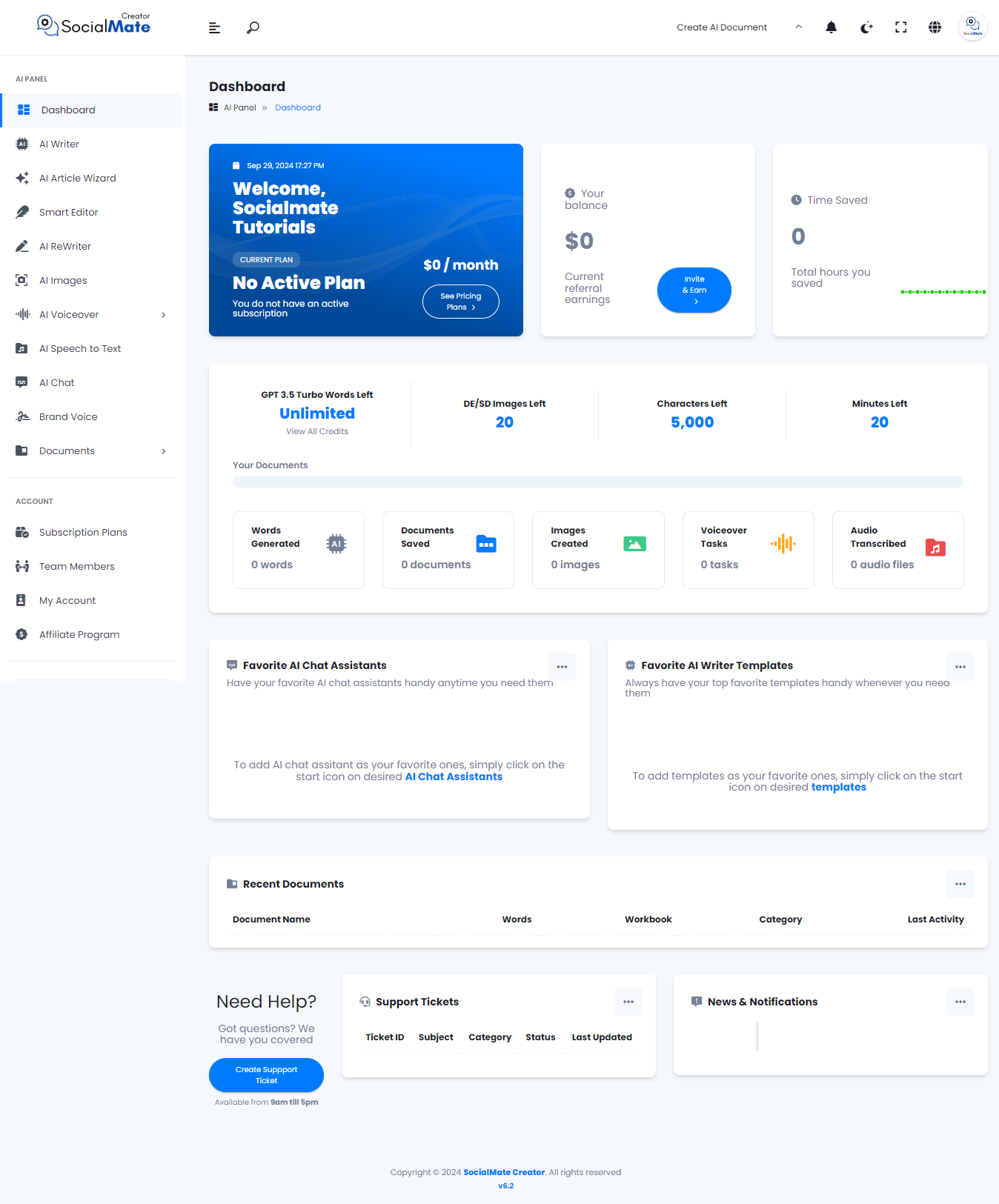
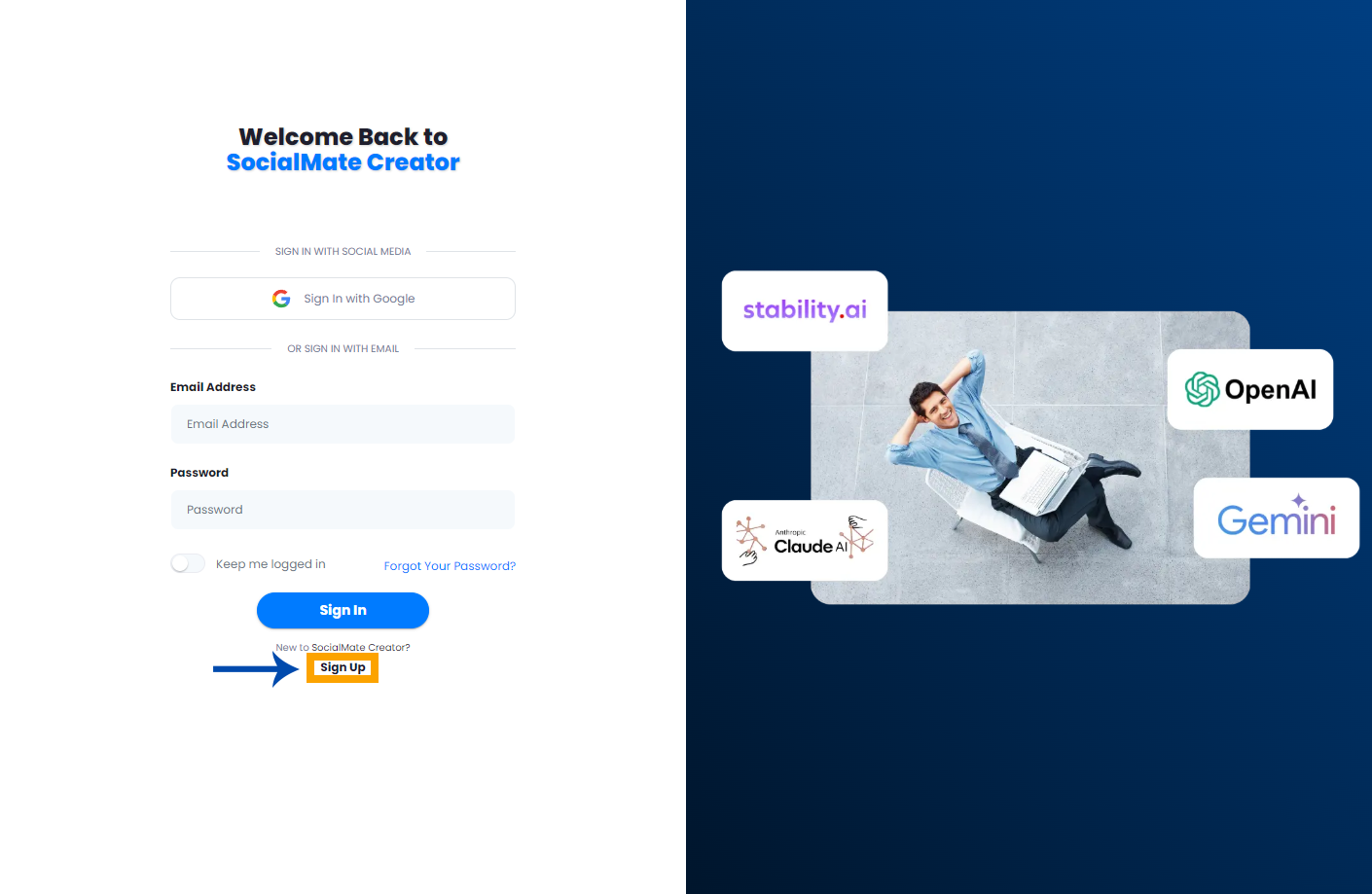
Creating an account on SocialMate is a simple and straightforward process. When you arrive at the sign-up window, click the ‘Sign Up’ button located at the bottom of the screen and follow the steps below to get started!
Step 1: Choose Your Sign-Up Method
To begin, you have two options for signing up:
Option 1: Sign Up with Gmail
If you already have a Gmail account, signing up with Gmail is the fastest option. This method saves you time and skips several steps.
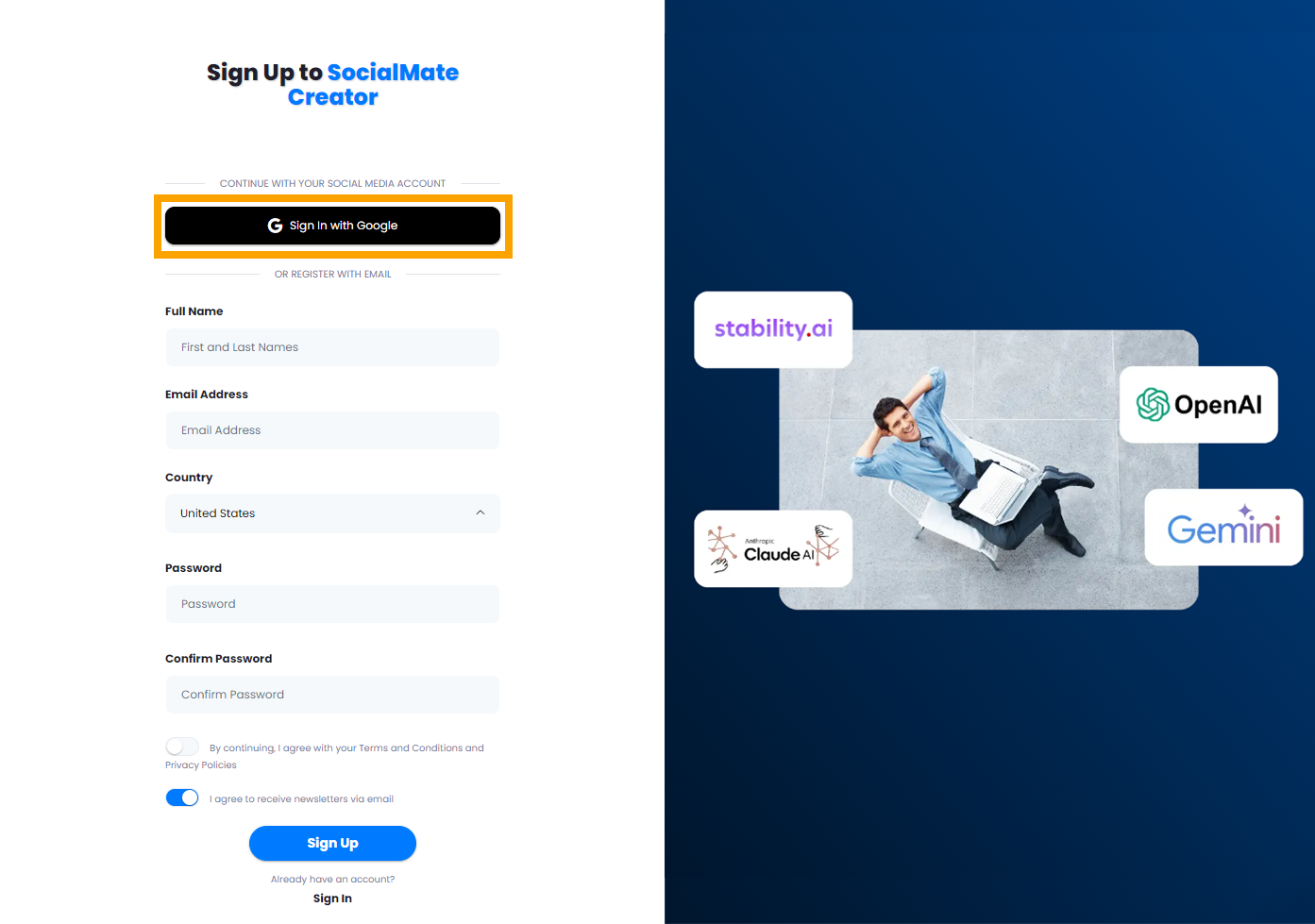
| Important Note: If you sign up with Gmail, there is no need to verify your account; your account will be automatically verified upon signing up. |
Option 2: Sign Up with Email
If you prefer to use your email address, follow these steps:
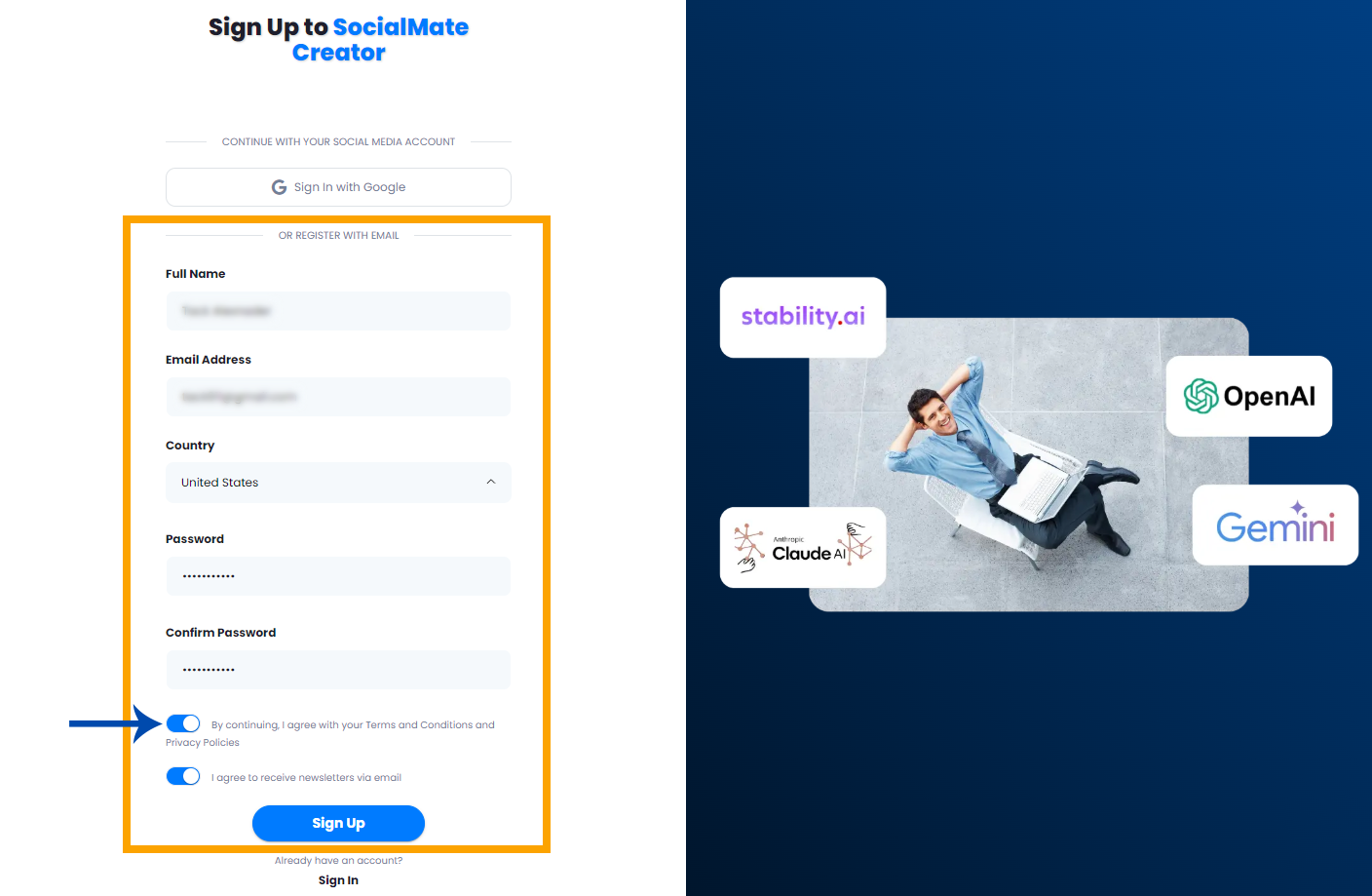
- Fill out the sign-up form with the required information:
- Full Name
- Email Address
- Country
- Password (choose a strong password)
- Confirm Password
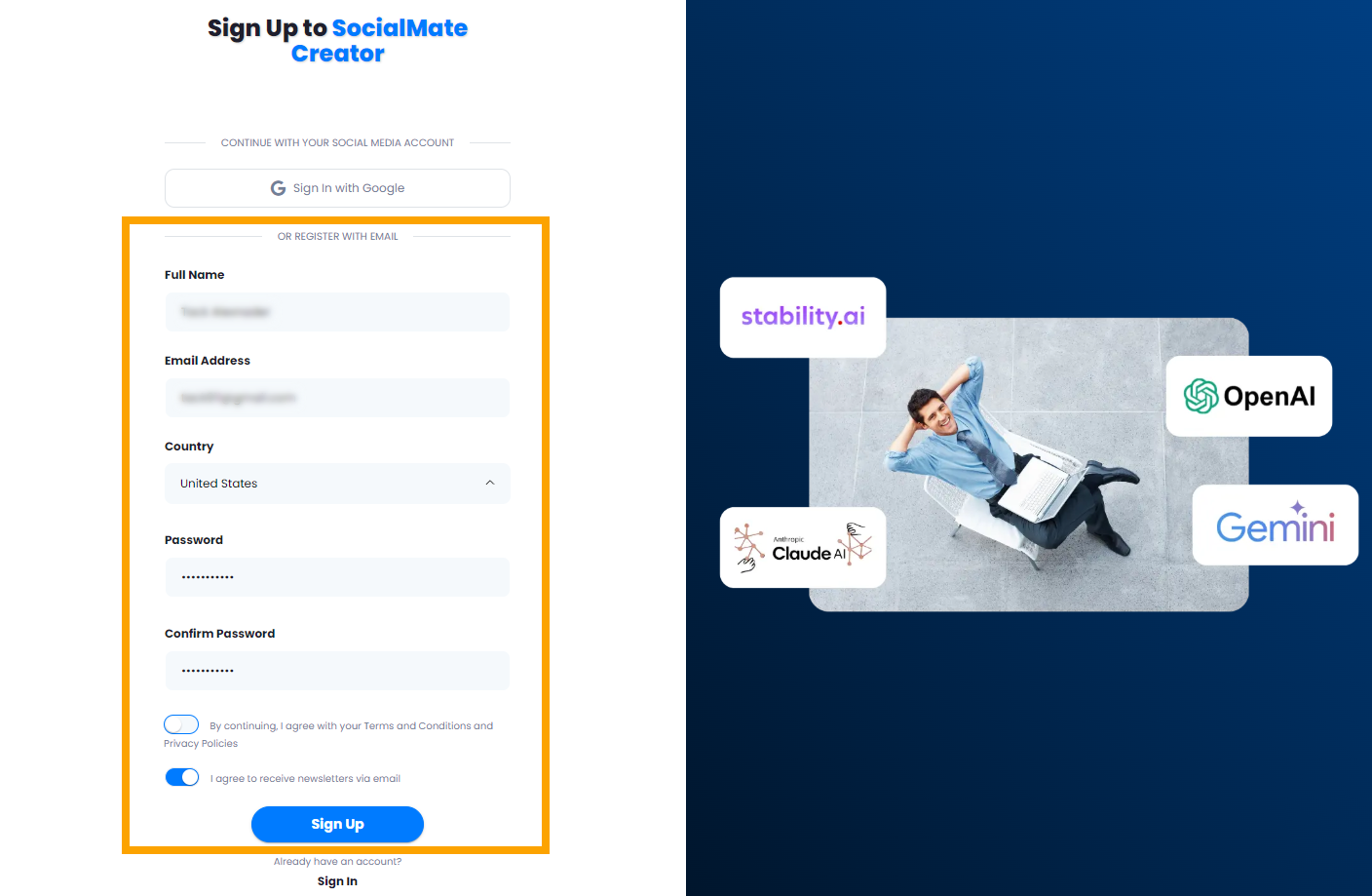
- Don’t forget to agree to the privacy policy and terms and conditions by checking the box, and then hit Sign Up.
Step 2: Verification
After completing the sign-up form, you will be directed to a new window requesting a verification code.
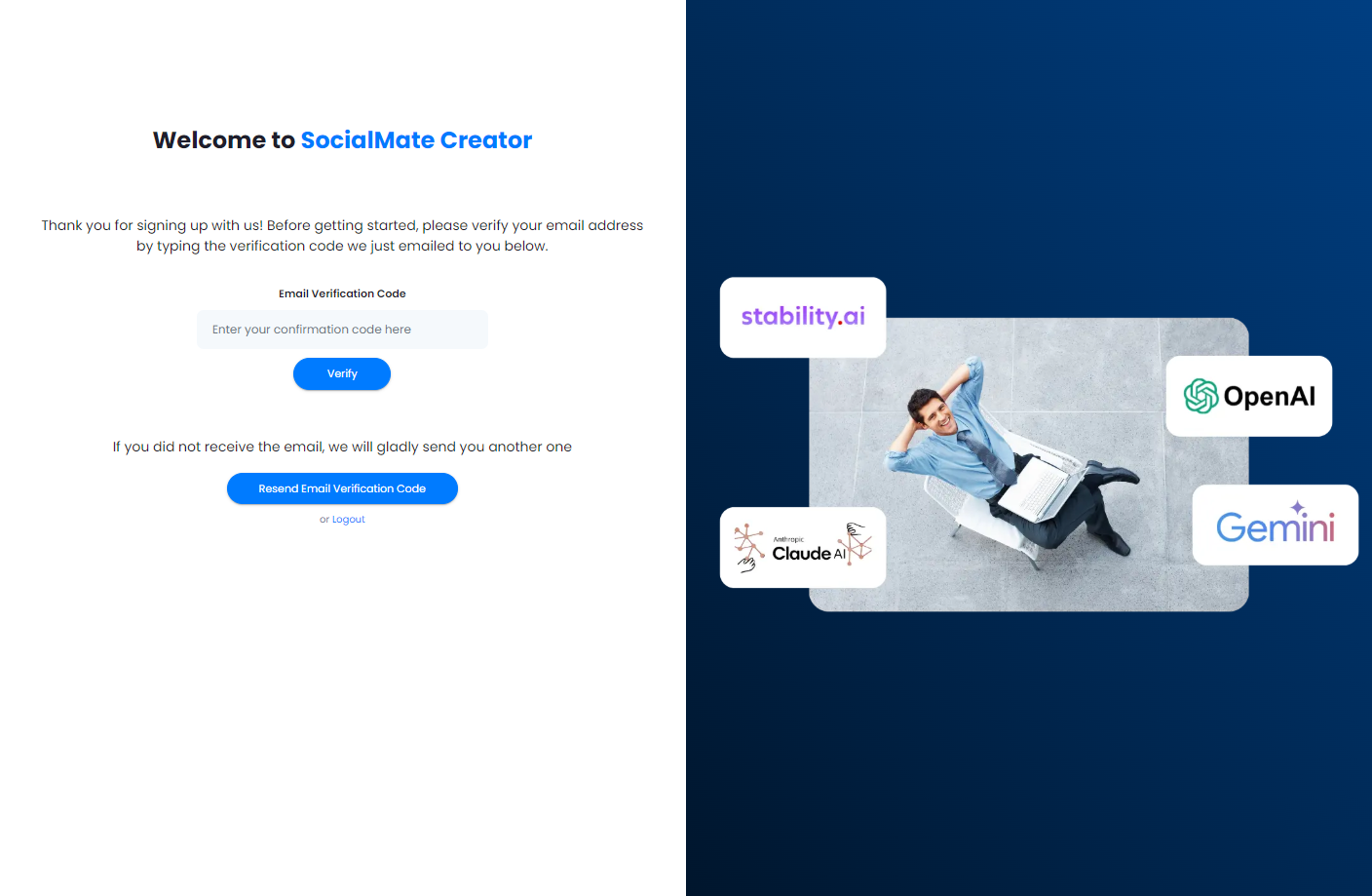
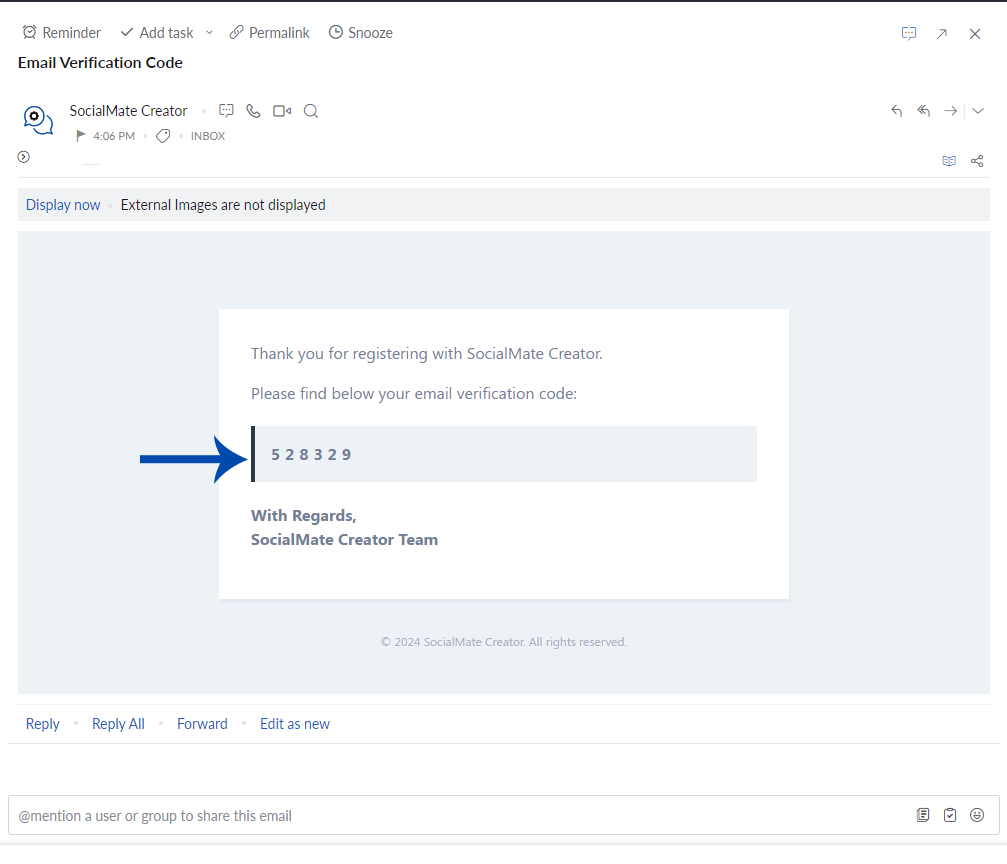
1. Check your email for a message containing the verification code.
2. Copy the verification code from the email.
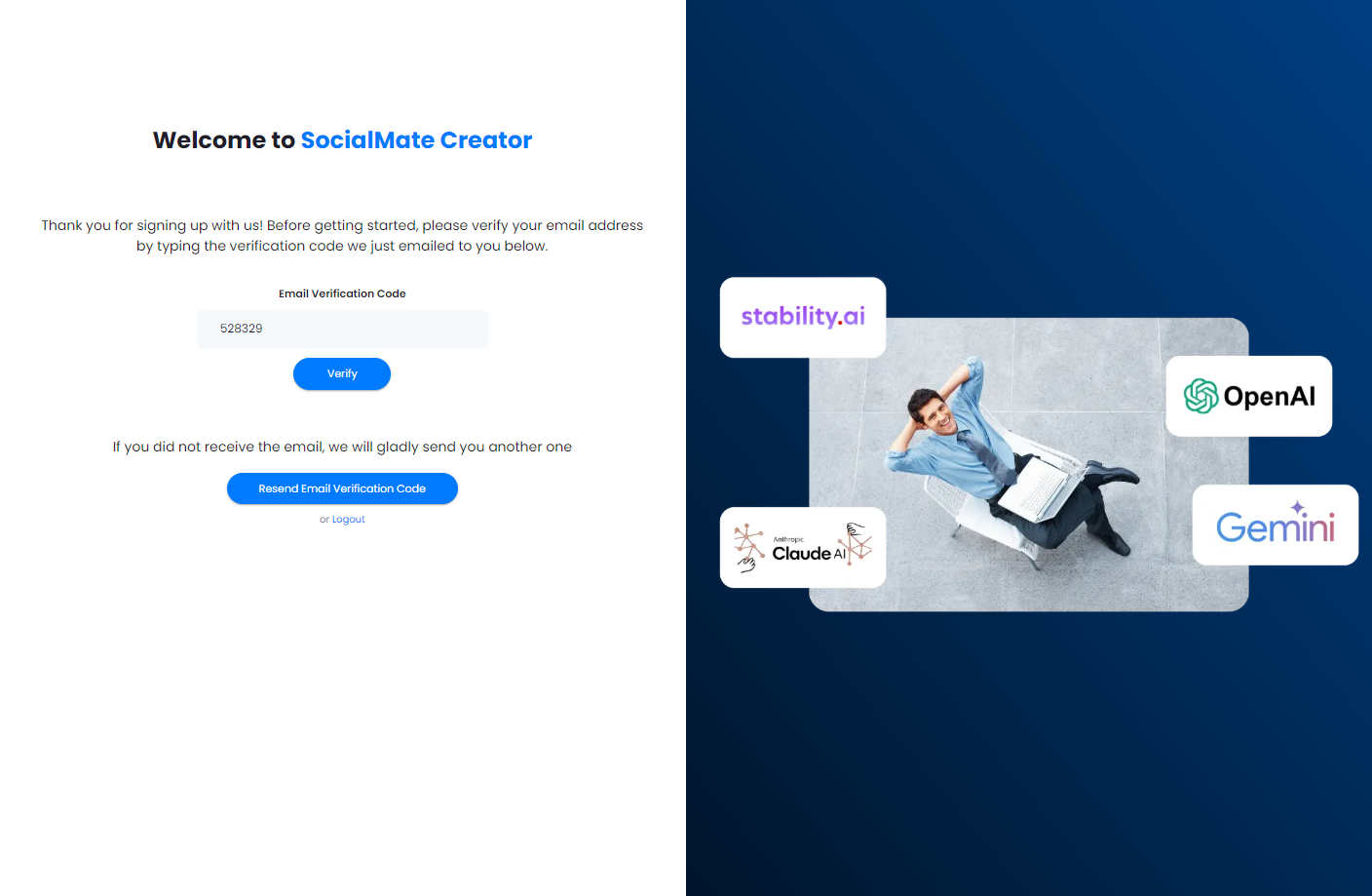
3. Paste the code into the provided box on the sign-up window.
4. Click the Verify button.
Congratulations!
Once you have successfully verified your account, you will see a confirmation message. Congratulations! You now have an account on SocialMate.